Set up a trigger and reply so Komently answers leads automatically.
An automation is a rule: when something happens (a comment or a DM), Komently sends a reply. You can have as many as your plan allows, each tuned to a different post or goal.
Choose a type
Comment → DM — someone comments on your post, Komently sends them a DM (and optionally a public reply). Great for lead magnets and “comment a word to get the link”.
Auto-reply DM — someone messages you, Komently replies in the DM thread. Great for FAQs and first-touch responses.
Auto-reply comment — Komently replies publicly under comments. Great for engagement.
Sending automations is unlimited — AI conversations are separate
Creating and running these automations (including every Comment → DM that goes out) is unlimited and never uses a credit. Credits apply only to the optional AI that holds a back-and-forth conversation after someone replies. See AI replies & credits for how that's counted.
Build the automation
1
Start a new automation
Go to Automations → New and pick a type above.
2
Pick the trigger
For Comment → DM, choose which posts to watch — pick specific posts, or turn on Apply to all posts to cover your whole account (see below). For DM replies, it applies to incoming messages on the connected account.
3
Write the reply
Add one or more message templates (Komently rotates through them to stay natural), or turn on AI replies to generate a fresh reply each time.
4
Turn it on
Save and toggle the automation active. That's it — it now runs 24/7.
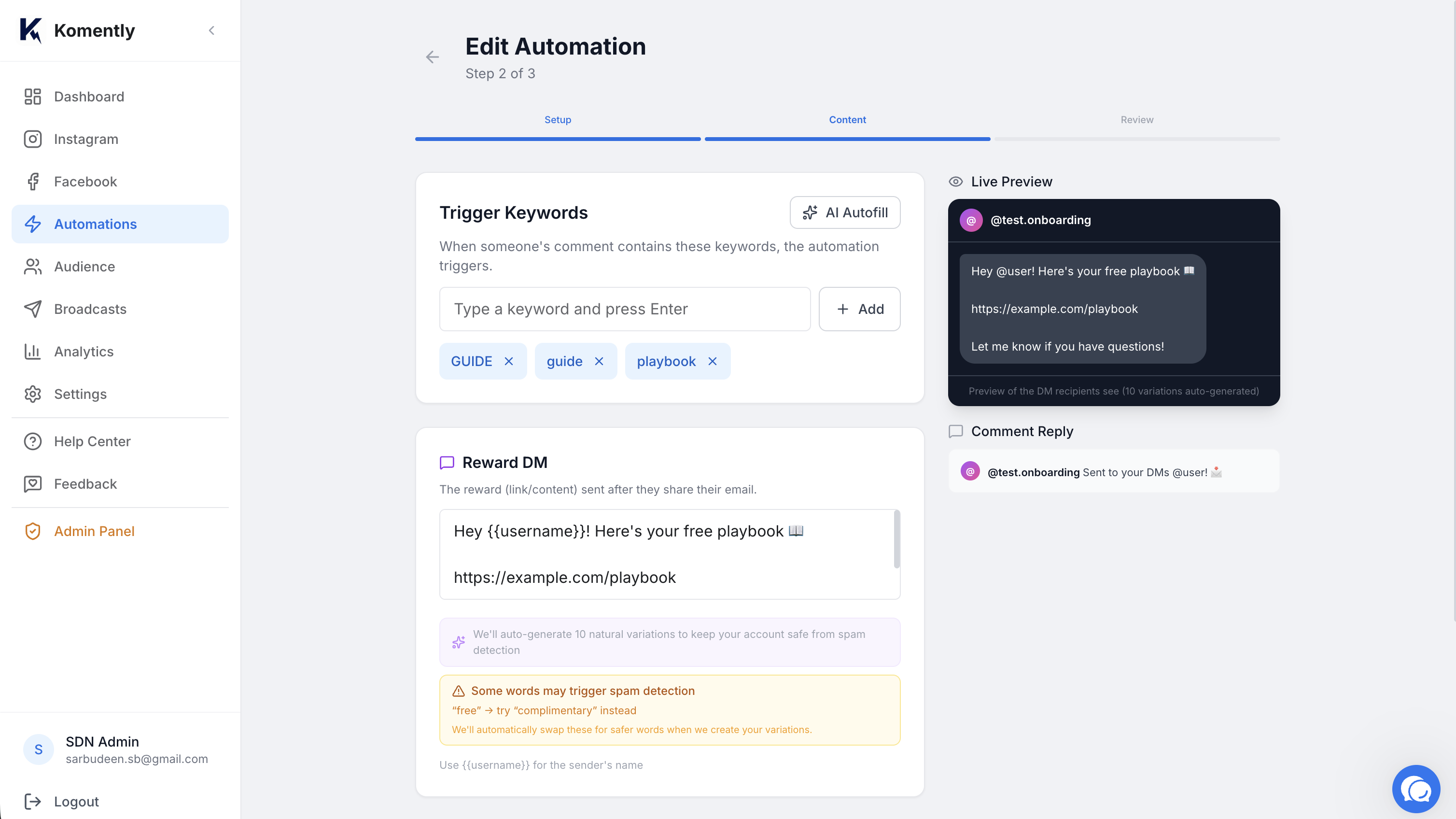
Automation builder with trigger and reply fields
The automation builder — pick a trigger, add your reply, and switch it on.
Apply to all posts (including future posts)
On a Comment → DM automation you can either select specific posts, or switch on Apply to all posts in the post step. When it's on, the automation watches every post on that account — and because it matches by account rather than a fixed list, it automatically covers posts you publish later too. It's off by default, so you opt in when you want blanket coverage.
Specific posts — best when a keyword/offer only belongs to certain posts.
All posts (incl. future) — best for an always-on keyword (e.g. “price”, “link”) you want to work across your whole account, now and on everything you post next.
One keyword per post — conflicts are flagged early
A given keyword can only be used by one automation on the same post. If a keyword already runs on those posts (or on an existing “all posts” automation), Komently flags it right in the builder — before you finish — so you can pick a different keyword. An “all posts” automation and a specific-post automation can't share the same keyword.
Keywords & email capture
Two settings decide when an automation fires and what it collects:
Keywords — the words that trigger it (e.g. “link”, “price”). Every automation needs at least one, and a comment or message matching none of them is left alone.
Email capture — optional: ask for the person's email as part of the flow and save them as a lead you can export (or send to your tools by webhook on Pro).
By default a keyword matches when the message contains it anywhere — link fires on “send me the link please”. Matching is never case-sensitive, and accents don't matter either (“Guía” matches guia).
Want the keyword to match only on its own? Put it in quotes
Wrap a keyword in quotes — "yes" — and it becomes an exact match: the automation fires only when the whole message is that word. “Yes”, “YES!!” and “yes 🙌” all count; “yes please” doesn't. Handy for giveaway entries, polls ("a" / "b"), or any word that also shows up inside everyday sentences. Quoted keywords show an exact tag in the builder so you can tell them apart at a glance.
Meta's sending limits still apply
Instagram and Facebook cap how fast automated messages can go out. Komently paces sends to stay safe — during a viral spike, some replies queue and send shortly after rather than all at once.