Connect your Instagram account

Link your Instagram professional account so Komently can reply on your behalf.

Komently connects to Instagram through the official Instagram Login, so your password is never shared with us and you can disconnect any time. You'll need an Instagram professional account (Business or Creator) for automations to work.

Before you start

  • Your Instagram account is set to Business or Creator (free to switch in the Instagram app).
  • You can log in to that account during the connection step.

Personal accounts won't work

Instagram only allows messaging automation on professional accounts. If you see an error, switch to a Business/Creator account in Instagram → Settings → Account type, then try again.

Connect the account

  1. 1

    Open the Instagram page

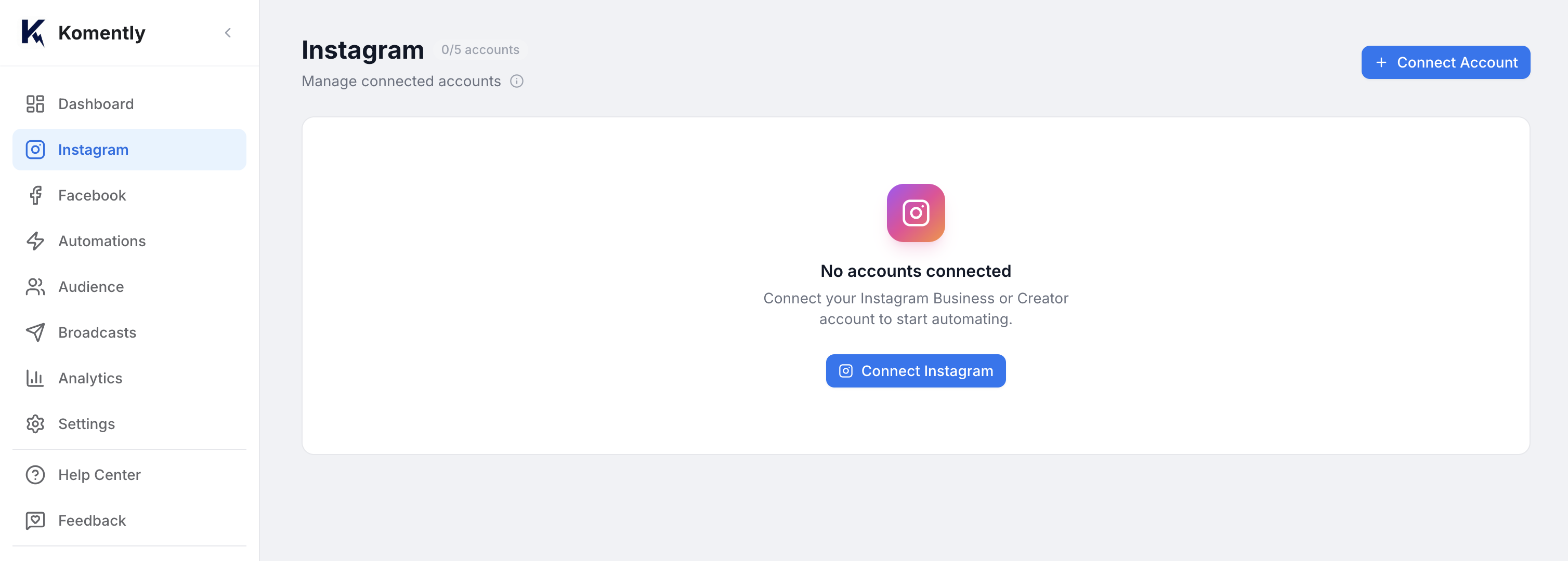
    In Komently, go to Instagram in the left menu and click Connect account.
  2. 2

    Log in with Instagram

    A secure Instagram window opens. Log in and approve the requested permissions — these let Komently read comments/messages and send replies.
  3. 3

    You're connected

    You'll land back in Komently with your account listed and a green “Connected” status.
Instagram page with the Connect account button
The Instagram tab — click Connect account to start the secure login.

Troubleshooting

  • “Account disconnected” later on? Instagram tokens expire if you change your password or revoke access. Just reconnect from the same screen.
  • Don't see your account? Make sure it's a professional account and that you approved all permissions during login.
Connecting a Facebook page works the same way from the Facebook tab — you'll link the page you want Komently to manage.
Still need a hand? Email support@komently.com.