Turn a comment keyword into a DM that collects the person's email as a lead.
Lead capture turns everyday engagement into an email list. Someone comments a keyword (say,guide) on your post → Komently DMs them → asks for their email → saves them as a lead you can export or email later. It's the classic “comment a word to get the link” funnel, fully automated.
How it works
1
Someone comments your keyword
On a post linked to a Comment → DM automation.
2
Komently opens a DM
It sends your message and, if lead capture is on, asks for their email in a warm, natural way.
3
The email is saved as a lead
Once they reply with an email, it's added to your Audience — ready to export or reach out to later.
e.g. guide, link, price. Only comments containing a keyword will trigger the DM.
3
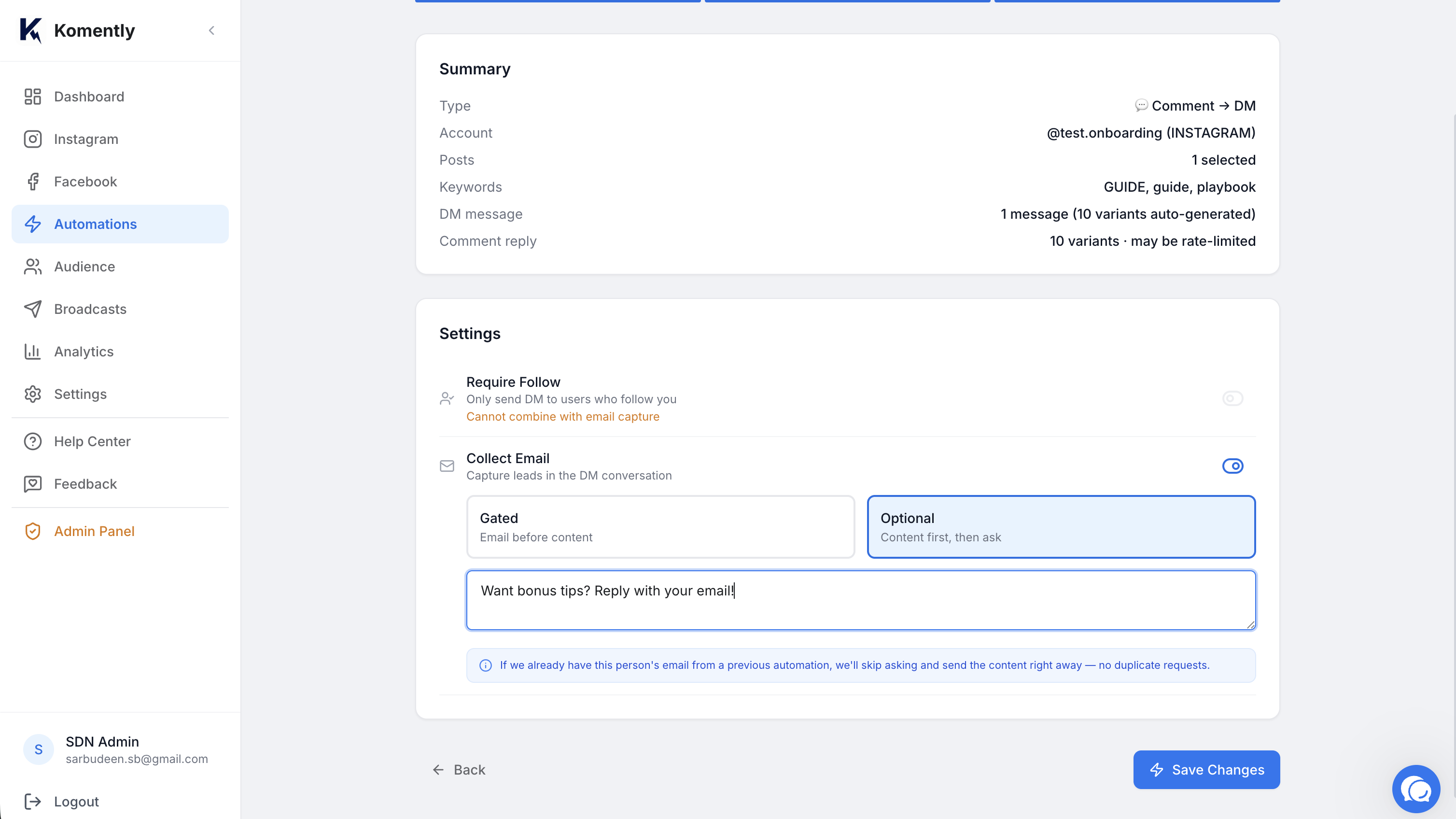
Turn on email capture
Enable Collect email. You can customise the prompt (“Want me to send it over? Drop your best email 👇”) or use the default.
4
Save and test
Comment the keyword from another account and reply with an email to see the full flow.
Automation with keyword and Collect email enabled
Add a keyword, switch on Collect email, and Komently handles the rest.
Gated vs optional
Gated — the person must share an email before Komently sends the content/link. Best for lead magnets where the email is the whole point.
Optional — Komently still delivers the content, and asks for the email along the way. Best for a friendlier, lower-friction experience.
Keep it low-pressure
Optional mode usually captures more goodwill (and often more emails over time) because nobody feels blocked. Use Gated when the email genuinely is the exchange.
Where your leads go
Captured emails appear under the Audience tab in the app, tagged by platform and how they engaged. From there you can export them. Email Broadcasts — sending to everyone who opted in, with unsubscribe handling built in — are being rolled out gradually and are available on request.
Lead capture can't be combined with the “require follow” gate on the same automation — pick the one that matches your goal.